
Why folks need long-distance 10G, straight talk
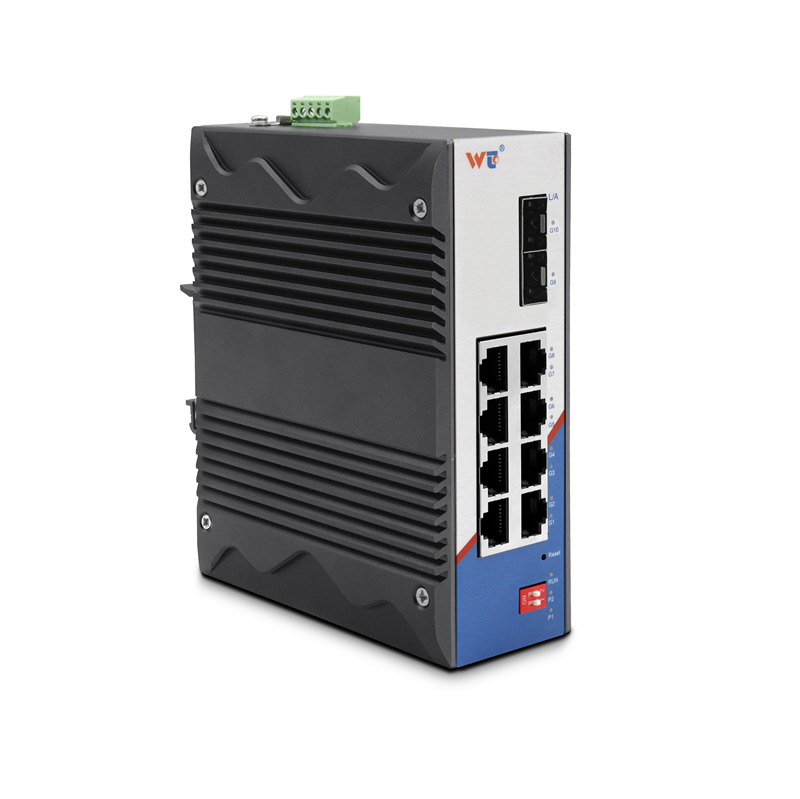
If you run a campus, a small metro ring, or a link between colo sites, you want your 10-gigabit pipe to behave—steady throughput, predictable latency, and minimal hands-on fiddling. Start by matching the optics to the route. You’ll usually pair 10G SFP+ ER modules with single-mode fiber for runs up to the spec’d limit; and you’ll want a sensible switch at each end — like a layer 2 managed switch that gives you VLAN control and port stats so you can spot problems before users do. Keep the focus on practical results: consistent link lights, expected throughput on iperf, and stable traffic shaping.

Core components and setup that actually matter
Use the right transceiver and cable type — 10GBASE-ER SFP+ transceivers are rated for up to 40 km over single-mode fiber, which covers most metro needs. Add a clean patching practice, label both ends, and verify fiber end-face condition. Watch your link budget: transmitter power, receiver sensitivity, and fiber attenuation. If your run crosses amplifier sites or uses DWDM, account for amplifier gain and channel spacing. A good rack diagram and a confirmed fiber map save time when something quits — and they make reconfiguration less painful.
Common mistakes that slow you down
Installers trip over the same few things. Avoid these.
– Using multimode patchcords with single-mode SFP+ ER modules; the signal won’t behave. – Ignoring connector cleanliness; a speck of dust can ruin a good run. – Overlooking dispersion and chromatic effects on very long optical paths — you might need dispersion compensation if you push beyond typical metro spans. – Forgetting to enable flow control or correct MTU settings on your managed switch, which can throttle performance silently.
Alternatives, tradeoffs, and where a layer 2 gigabit switch fits
Not every run needs ER. For under 10 km, 10GBASE-LR saves power and cash. For ultra-long-haul, ZR or DWDM setups are the ticket, but they add complexity and cost. If you need many local 1G drops alongside a 10G trunk, consider a layer 2 managed switch at the edge or a layer 2 gigabit switch to concentrate access ports before the 10G uplink. That keeps the high-speed optics where they belong, and the gigabit edges simple to manage.
Production teardown and quick field validation
When I tear down a production link I log optical power both ways, run iperf3 for a stress period, and capture switch counters for CRCs and alignment errors — those tell the real story. In one validation, the 10GBASE-ER modules hit expected loss figures across a 25 km span and stayed error-free under sustained traffic. During a lab teardown we compared main_keyword and variation_keyword latency and packet-loss profiles to pick the cleaner option for bursty traffic. Keep a spare transceiver handy and document loss budgets so you can swap and know whether the problem’s fiber or optics. The 40 km ER specification is a reliable anchor for planning; don’t push past it without measurement and amplification.
How to measure success — three golden rules
Pick three metrics and treat ’em like gospel before you call the job done. First, link health: no CRCs, no flapping, and optical power within your planned budget. Second, throughput under load: iperf3 should show near-line-rate for sustained periods and low jitter for real-time services. Third, operational visibility: your managed switches must expose counters, logs, and simple alarms so you see drift before it becomes outage. Follow these and you’ll avoid late-night runs to the datacenter.
Reliable long-haul 10G isn’t magic — it’s matching the right SFP+ ER optics to clean fiber, verifying link budget, and keeping your layer 2 gear honest. For gear that fits into real operations and makes troubleshooting straightforward, consider how WINTOP simplifies choices and keeps spares within reach — a small practical win that saves big headaches down the road. —